Start with the exact phone model
eSIM support depends on the exact model and sometimes the country or carrier version. Find the model name in your phone’s settings, then check the manufacturer’s specifications for that version. A product family name alone may not be enough.
If you bought the phone through a carrier, check both the model and its current network lock status.
Look for an EID
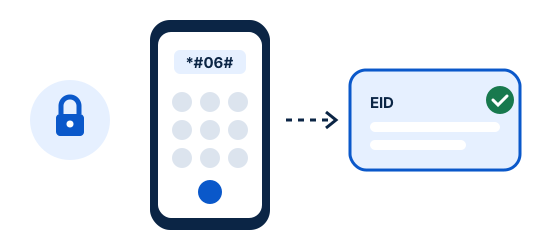
Open the phone dialler and try *#06#. On many eSIM phones, the device information screen includes an EID, a long identifier associated with the embedded SIM. You can also look in Settings under About or device information.
The code and menu behavior can vary. If no EID appears, use the manufacturer’s support page or settings search before concluding the phone is incompatible.
Check the SIM settings
On iPhone, look in Settings › Cellular or Mobile Data for Add eSIM, and in General › About for EID. On Android, search Settings for “eSIM” or check SIM manager under Network & internet or Connections. Names differ across manufacturers and software versions.
Keep your operating system updated and use the manufacturer’s instructions for your exact model.
Confirm the phone is unlocked
A phone can have eSIM hardware and still be restricted to one carrier. Ask your home carrier whether the device is unlocked and whether any restrictions apply to using another mobile plan. Resolve this before departure; an unlock request may take time.
Dual SIM lets many phones keep a home line and a travel line, but carrier policies and device support vary.
Check the plan before installing
Confirm that the plan covers your destination, has enough data and validity for your trip, and supports your device. Follow that plan’s installation and activation instructions: installing a profile and starting its validity can be separate events.
Install over a reliable Wi-Fi connection and keep the QR code or setup details private.